> ## Documentation Index
> Fetch the complete documentation index at: https://docs.jojapi.com/llms.txt
> Use this file to discover all available pages before exploring further.
# Creating New API
> In this article, we will cover creating an API in Studio.
1. First, open **Studio**.
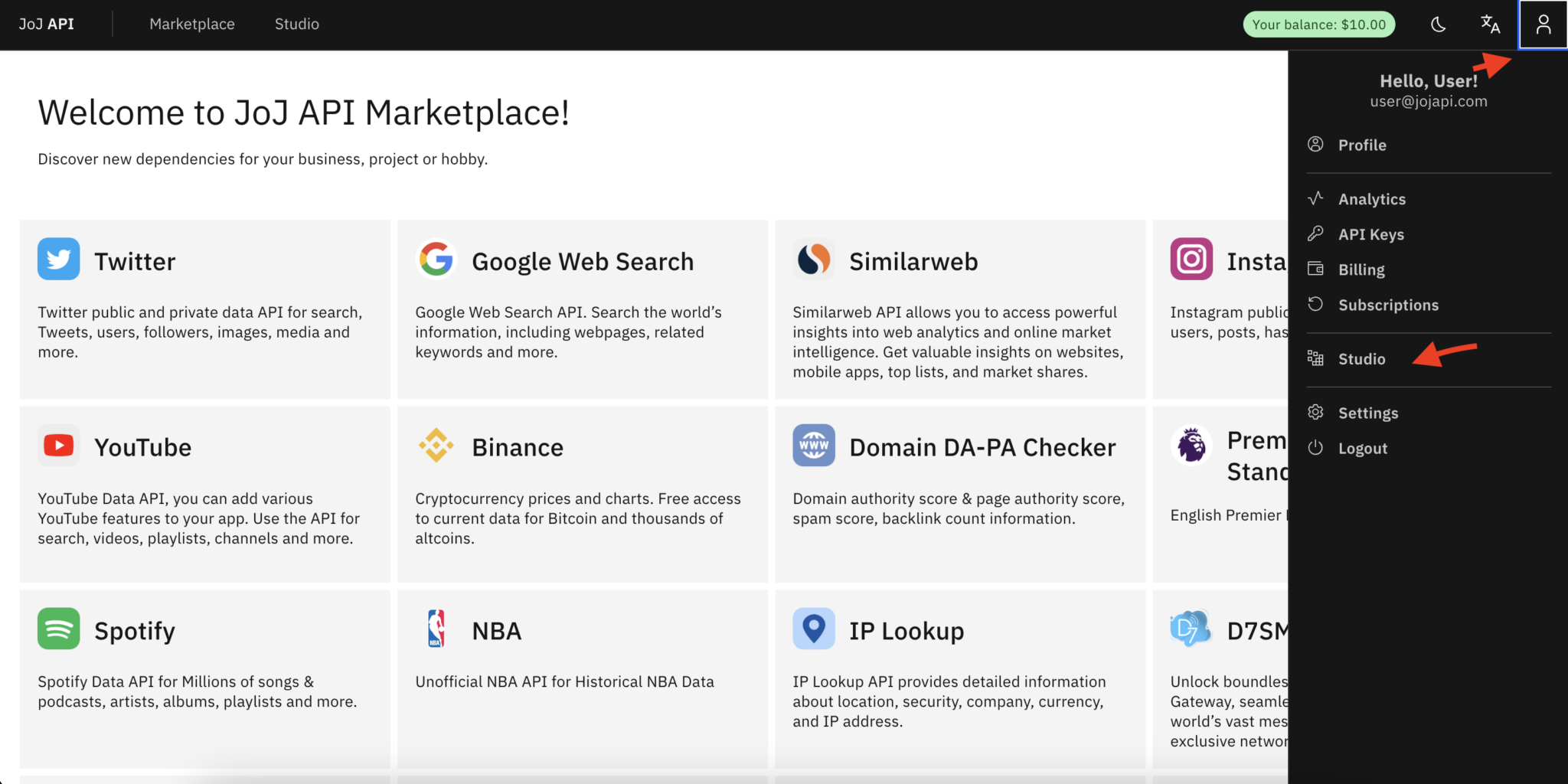 2. Go to the **My APIs** tab.
3. Click the **Create New API** button and enter the information (you can change them at any time).
2. Go to the **My APIs** tab.
3. Click the **Create New API** button and enter the information (you can change them at any time).
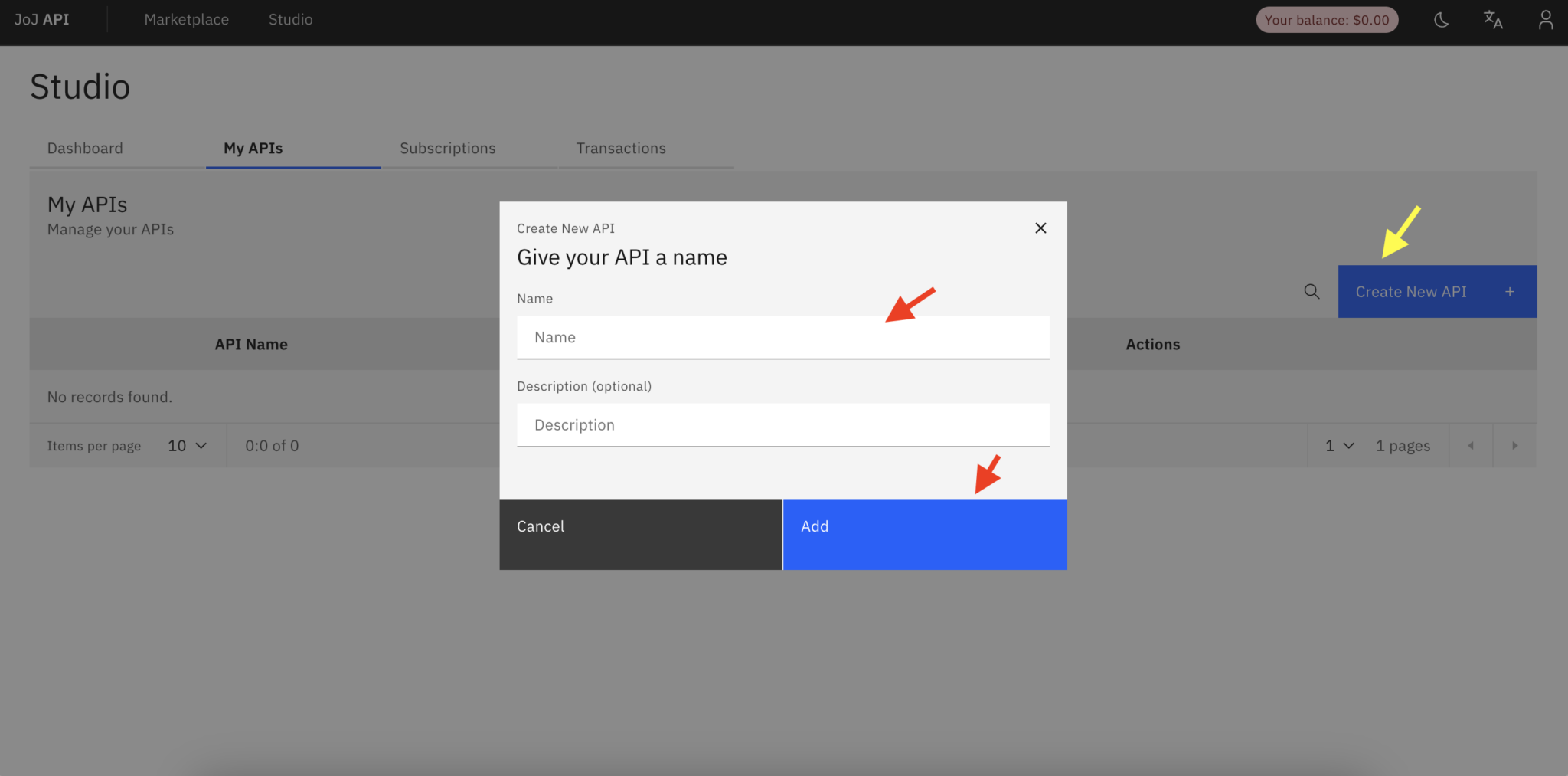 4. Click the **Add** button. Your API has been added, now you can make your API ready by adding endpoints.
> When you create an API, a **slug** is automatically created by the system (this is generated from your API name) which will be used to identify your API. Note that this cannot be changed.
4. Click the **Add** button. Your API has been added, now you can make your API ready by adding endpoints.
> When you create an API, a **slug** is automatically created by the system (this is generated from your API name) which will be used to identify your API. Note that this cannot be changed.